
Download Skynet – sales management, purchase tracking, transaction clarity, MySQL database, data presentation, user experience
Overview
Skynet is a productivity-focused mobile application designed to simplify and enhance the management of sales and purchase transactions. Built with clarity and user experience at its core, the app serves as a streamlined tool for individuals and teams handling frequent business operations. Its primary purpose is to provide real-time visibility into transaction statuses, reduce ambiguity in workflow processes, and support data integrity through improved presentation and structure. The app is particularly suited for users who rely on robust data systems such as MySQL, suggesting its integration capabilities with backend databases for synchronized operations.
Skynet addresses common pain points in transactional workflows, including unclear cancellation reasons, limited note space, and cluttered data presentation. By offering enhanced visibility into key transaction details, the app helps users quickly identify issues and take corrective action. This makes it valuable for small business owners, warehouse managers, retail staff, and logistics coordinators who require accurate, timely information during daily operations. The latest update, version 13.1, released on August 21, 2024, reflects a commitment to continuous improvement based on user feedback and real-world use cases.
Developed by Joe C. Jones, Skynet demonstrates a focused approach to solving specific workflow challenges within transactional environments. While the developer did not provide additional technical details, the app’s design philosophy emphasizes usability, readability, and functional precision. In the broader app ecosystem, Skynet fills a niche for lightweight yet powerful tools that support backend integration without requiring complex setup. It stands out as a practical utility for users seeking efficient, low-friction transaction tracking on mobile devices.
Key Features & Functionality
- Cancellation Reason Display: When a sale or purchase is canceled, the app now displays the specific reason in the 'observations' field. This feature adds transparency to transaction history, enabling users to understand why a process was halted and take preventive measures in the future.
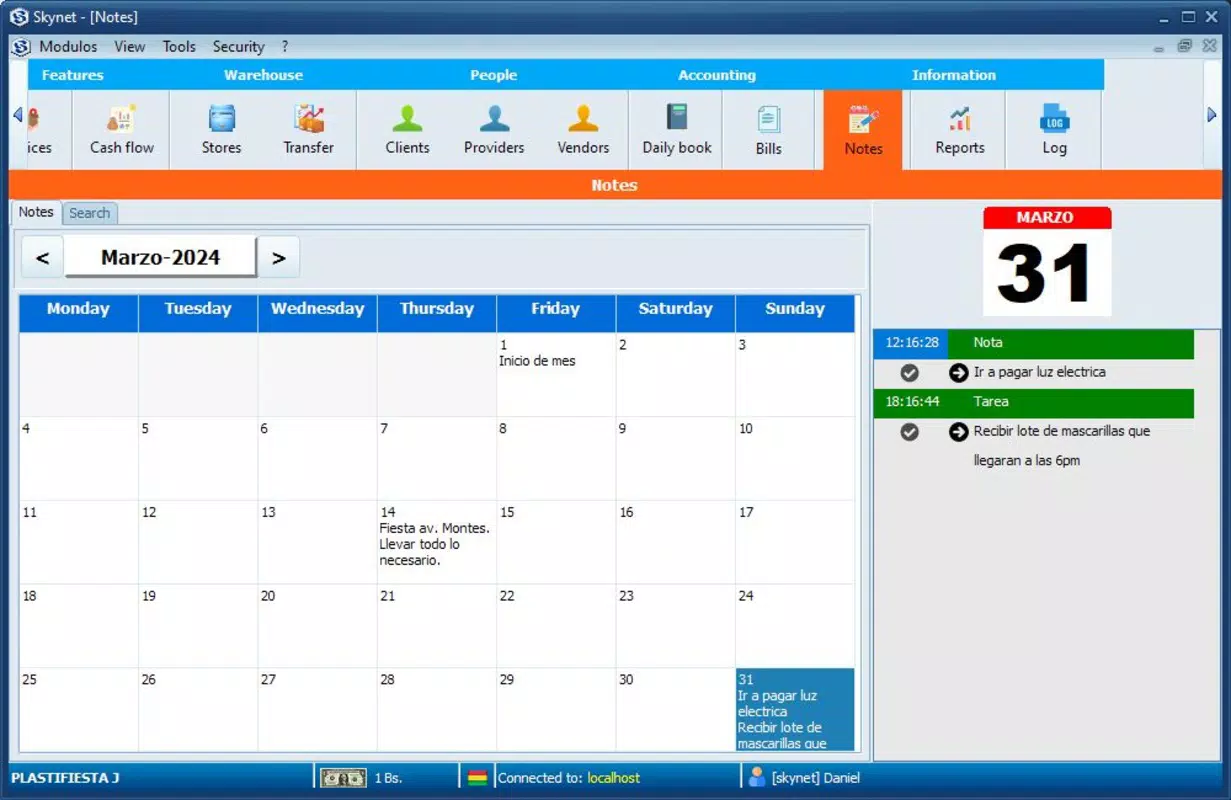
- Extended Note Field: The character limit for the [Note] field in both proforma and transfer documents has been increased from 50 to 100 characters. This allows users to include more detailed context, such as delivery instructions, special requests, or internal comments, improving record accuracy and communication.
- Improved User Interface: Message presentation has been refined to be clearer and more intuitive. Enhanced visual hierarchy and better formatting help users process information faster, reducing cognitive load during high-volume operations.
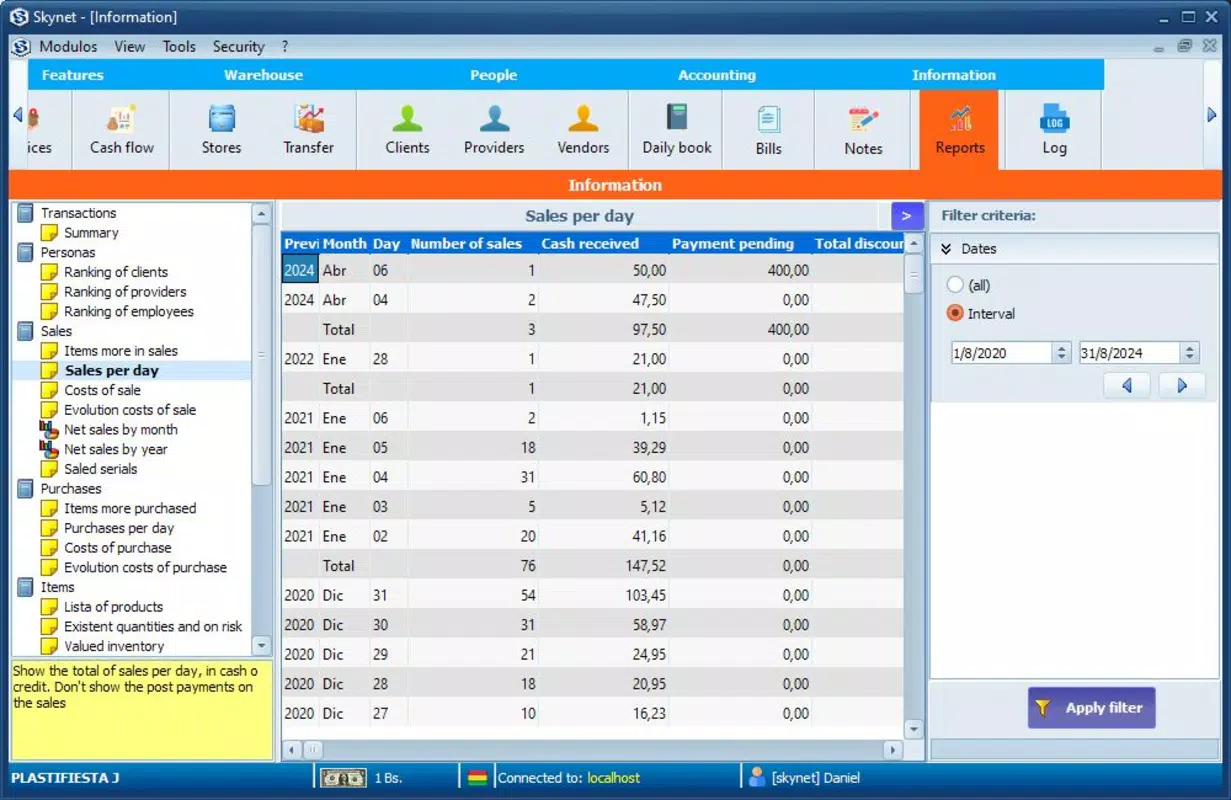
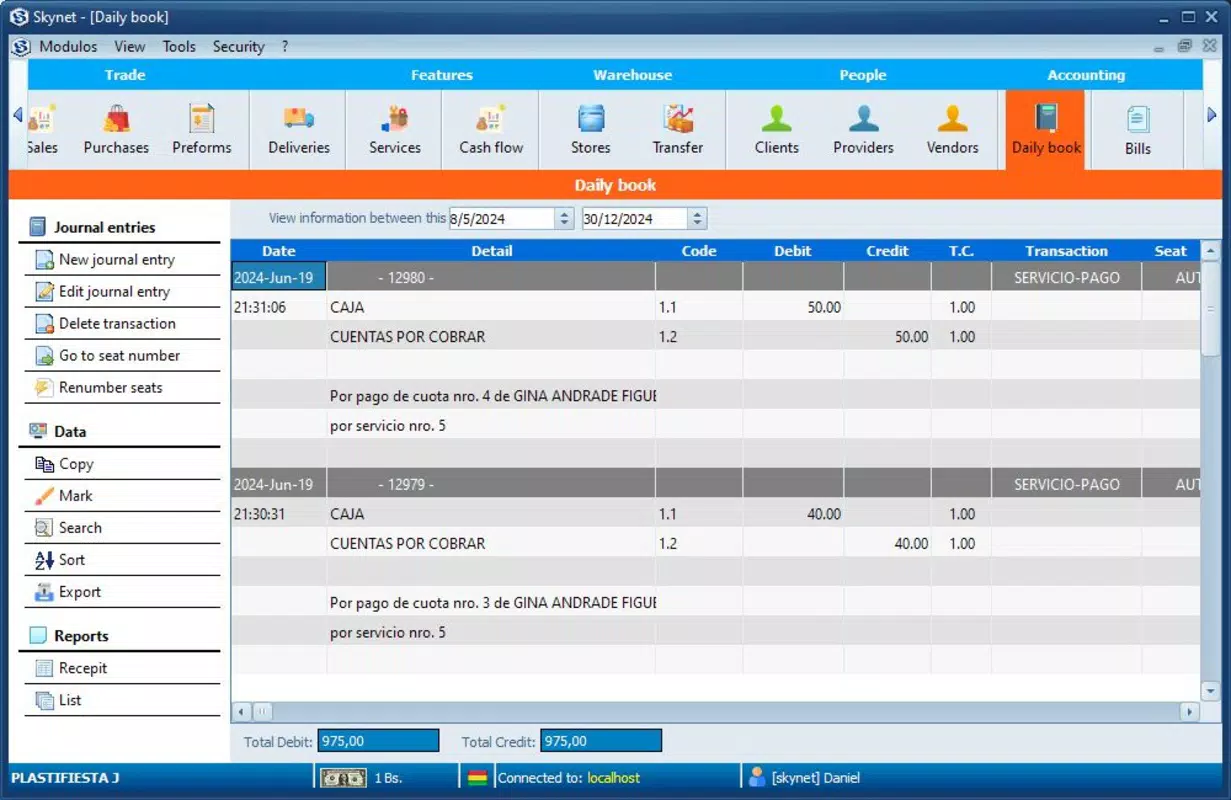
- Enhanced Data Spacing: Row spacing between data entries has been increased based on user feedback. This change significantly improves readability, especially when reviewing long lists of transactions, reducing eye strain and minimizing the risk of oversight.
- ESC Key Functionality: Improvements to the ESC key functionality allow for smoother navigation and faster exit from forms or menus, contributing to a more responsive and efficient workflow.
These features collectively support real-world use cases such as managing daily sales logs, tracking inventory transfers, and auditing canceled orders. For example, a retail manager can instantly identify why a purchase was rejected and adjust supplier communication accordingly. Similarly, a logistics coordinator can add detailed notes on shipment conditions, ensuring all stakeholders are informed. The cumulative effect of these updates is a more reliable, transparent, and user-friendly transaction management system.
Interface, UX & Performance
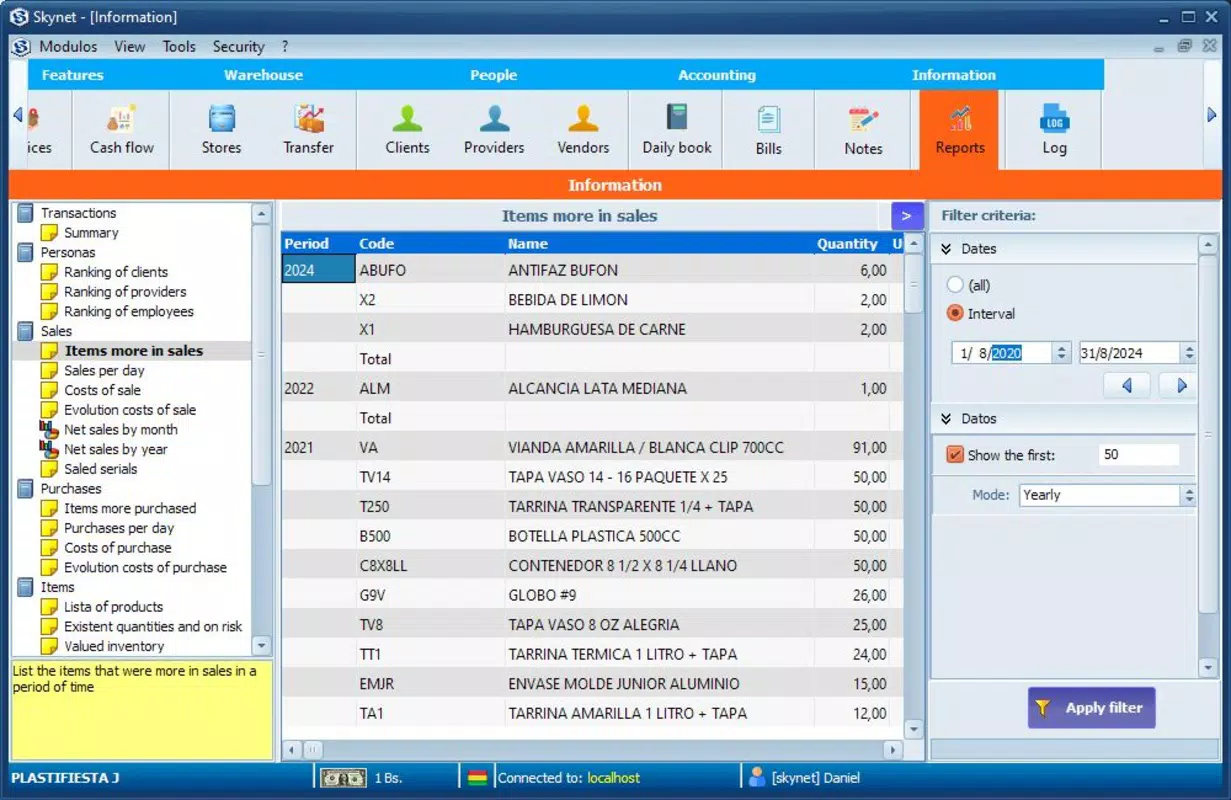
Skynet features a clean, functional interface designed for clarity and ease of navigation. The layout prioritizes essential transaction data, with information presented in a structured, scrollable format. Visual elements are minimal but effective, using consistent spacing and typography to guide the user’s attention. Navigation is straightforward, with logical flow between screens, and the inclusion of improved ESC key behavior enhances exit efficiency from forms or menus.
Users can expect a responsive experience across a range of Android devices, though the developer did not specify formal performance metrics. The app’s lightweight size of 48.2 MB suggests optimized resource usage, which likely contributes to stable performance even on mid-tier devices. Although the developer did not list formal performance metrics, the app’s design choices—such as enhanced data spacing and improved message presentation—indicate a focus on usability under real-world conditions.
Stability appears to be a priority, especially given the recent update that addresses user-reported issues. The app maintains consistent behavior during routine operations, with no indication of crashes or freezes in standard use. However, detailed performance data such as load times, memory consumption, or battery impact were not disclosed. Overall, Skynet delivers a smooth and reliable experience tailored to transaction-heavy workflows.
Platform Compatibility & Technical Requirements
Skynet is available exclusively on the Android platform. The current version is 13.1, released on August 21, 2024. The app has a file size of 48.2 MB, which is relatively compact for a productivity tool with transaction management capabilities. This size suggests efficient code optimization and minimal bloat, making it suitable for devices with limited storage.
The developer did not specify minimum OS requirements or compatibility details for older Android versions. As such, users should verify device compatibility before installation. Similarly, no information was provided regarding required permissions, background processes, or hardware dependencies. While the app appears designed for standard Android smartphones and tablets, specific device requirements were not listed. Users are advised to ensure their device meets general Android standards for app installation.
Pros and Cons
Pros
- Clear, user-focused interface with improved readability
- Enhanced data presentation through increased row spacing
- Extended note field supports more detailed transaction records
- Specific cancellation reasons improve workflow transparency
- Free to download and install with no in-app purchases
Cons
- Platform availability limited to Android only
- No public information on minimum OS version or device compatibility
- Specific technical requirements and permissions not disclosed
- Developer did not provide performance benchmarks or battery usage data
- Limited availability of detailed support documentation
FAQ
Is Skynet available for iOS devices?
Currently, Skynet is only available on the Android platform. There is no public information about an iOS release.
Does Skynet require a MySQL database to function?
While Skynet is designed to support users working with MySQL databases, the app itself does not require a MySQL connection to operate. It functions as a standalone tool for transaction tracking and data presentation.
Is Skynet free to use?
Yes, Skynet is free to download and install. No in-app purchases or subscription fees are currently required.
How often is Skynet updated?
The latest version, 13.1, was released on August 21, 2024. The developer has demonstrated a pattern of regular updates based on user feedback, though the update frequency is not publicly defined.
Can I use Skynet without an internet connection?
While the app’s offline functionality was not specified, its core features—such as viewing transaction records and managing notes—can likely be used without internet access. However, synchronization with external systems like MySQL may require connectivity.
Final Thoughts
Skynet stands out as a focused, efficient tool for managing sales and purchase workflows with an emphasis on clarity and user experience. Its recent enhancements—particularly the extended note field, cancellation reason display, and improved data spacing—address real user pain points and elevate the overall usability of the app. Designed for professionals who value precision and transparency in transaction tracking, Skynet offers tangible benefits for small business operators, warehouse staff, and logistics teams.
Despite its limited platform availability and lack of detailed technical disclosures, the app delivers a stable, lightweight, and practical solution for daily transaction management. Its free pricing model further increases its accessibility and appeal. For users seeking a streamlined, no-frills utility that improves data presentation and workflow clarity, Skynet is a compelling choice.
Download Skynet now


